The platform
WISEWEEE DASH. THE WHOLE FLOW IN ONE PLACE.
The platform that digitalises the work of a WEEE treatment operator — from waste intake to the sale of fractions and reporting to the authorities.
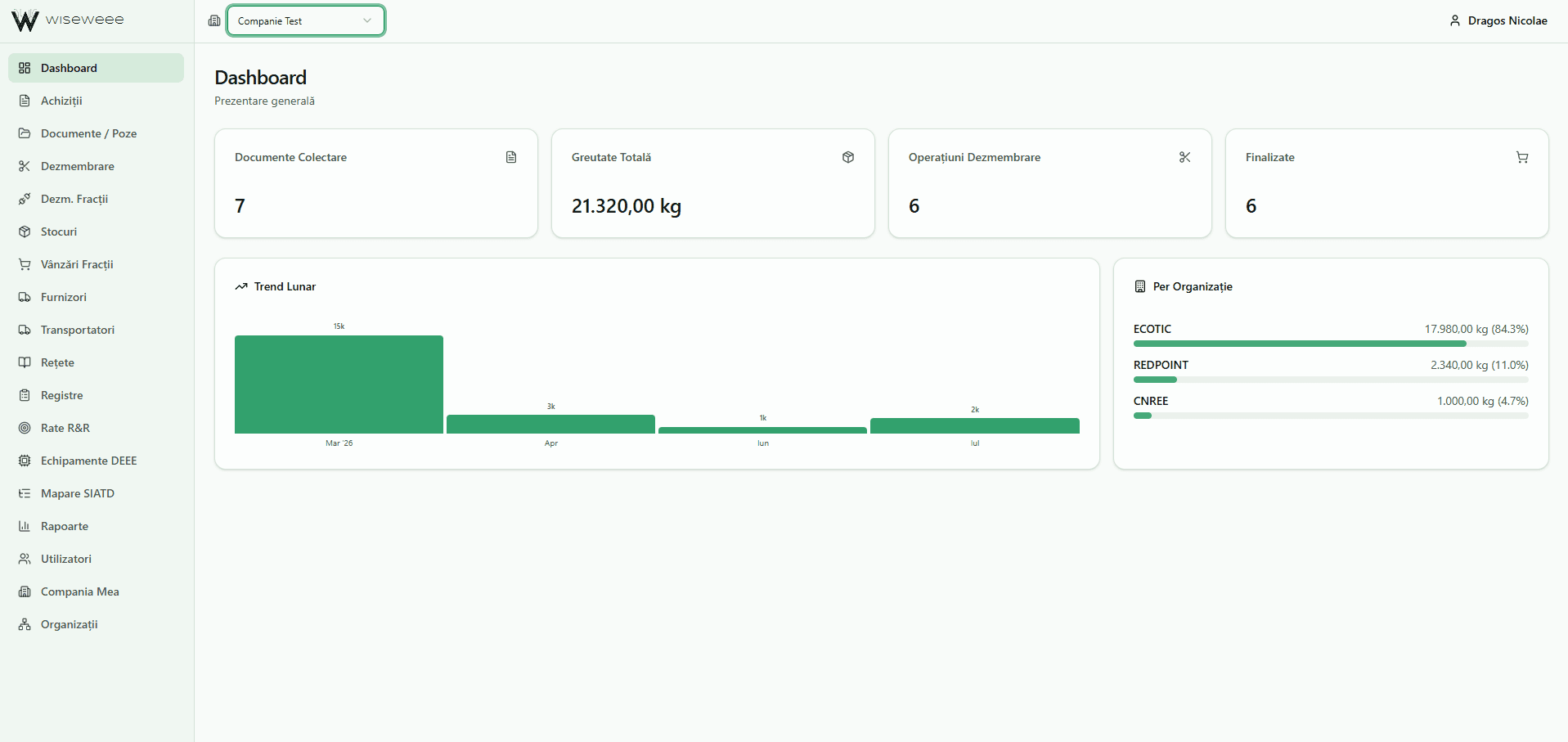
Why
Paper and spreadsheets no longer cope.
A great many companies still do everything on paper or in a spreadsheet that gets lost. And it works — until an inspection turns up, until the report is due, until somebody asks where a fraction came from and where it went.
That is when the searching through binders starts, and the recalculating from scratch. And what you cannot demonstrate, for an auditor did not happen.
Dash keeps everything in a single chain: every quantity that came in has its document behind it, every fraction that went out has the operation it came from. Traceability is not reconstructed at the end — it exists from the start.
The flow
From intake to sale, in a single chain.
These are not separate modules you have to stitch together. It is one road, and each step sets up the next one.
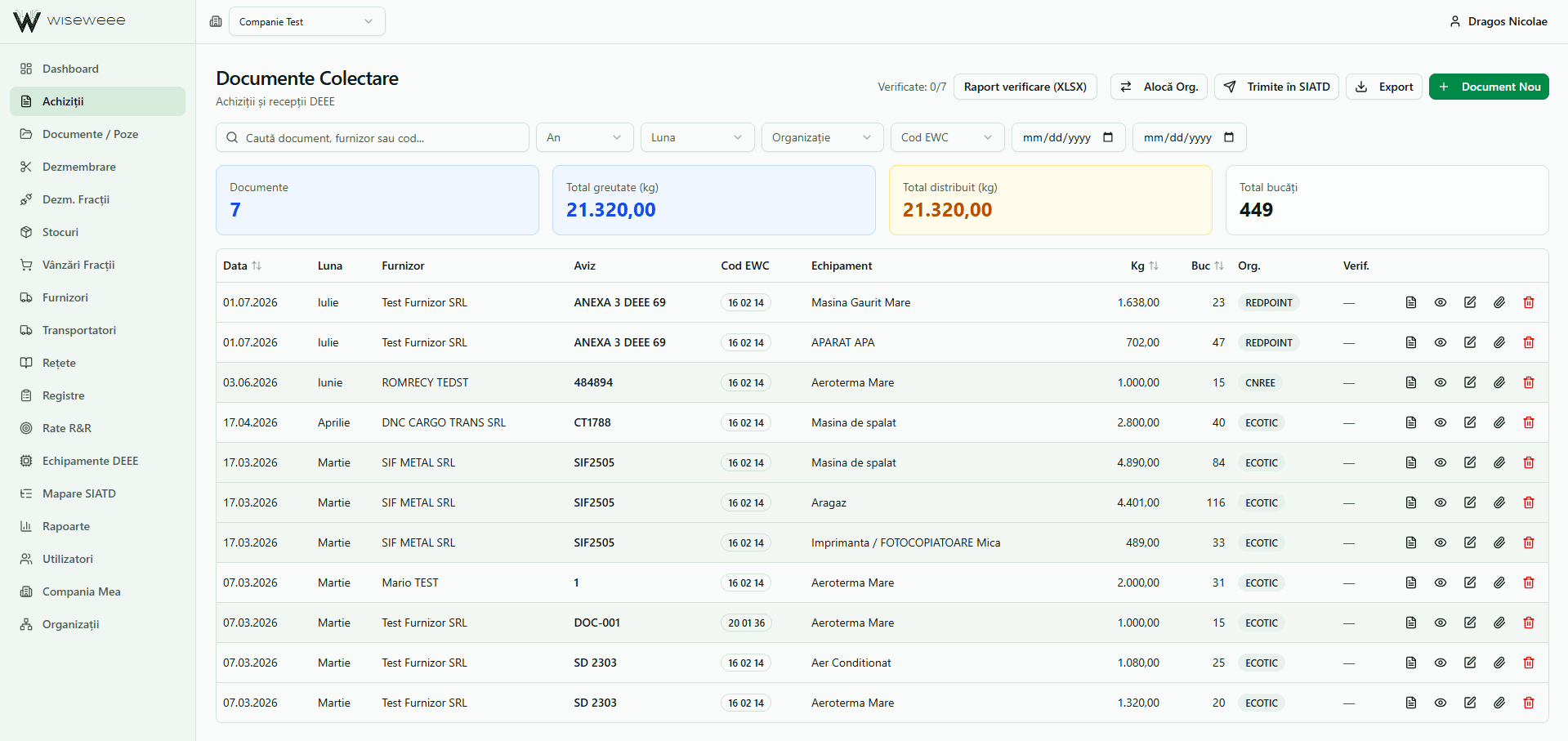
Intake
The intake document is filled in once: supplier, delivery note, carrier, equipment, quantities. Receipts and weighbridge tickets are read automatically, and the supplier is filled in from the tax number.
Quantities allocate themselves to the right organisation. The photos and the scanned document stay attached to the row, so at an inspection you open the document and show the paper.
Dismantling
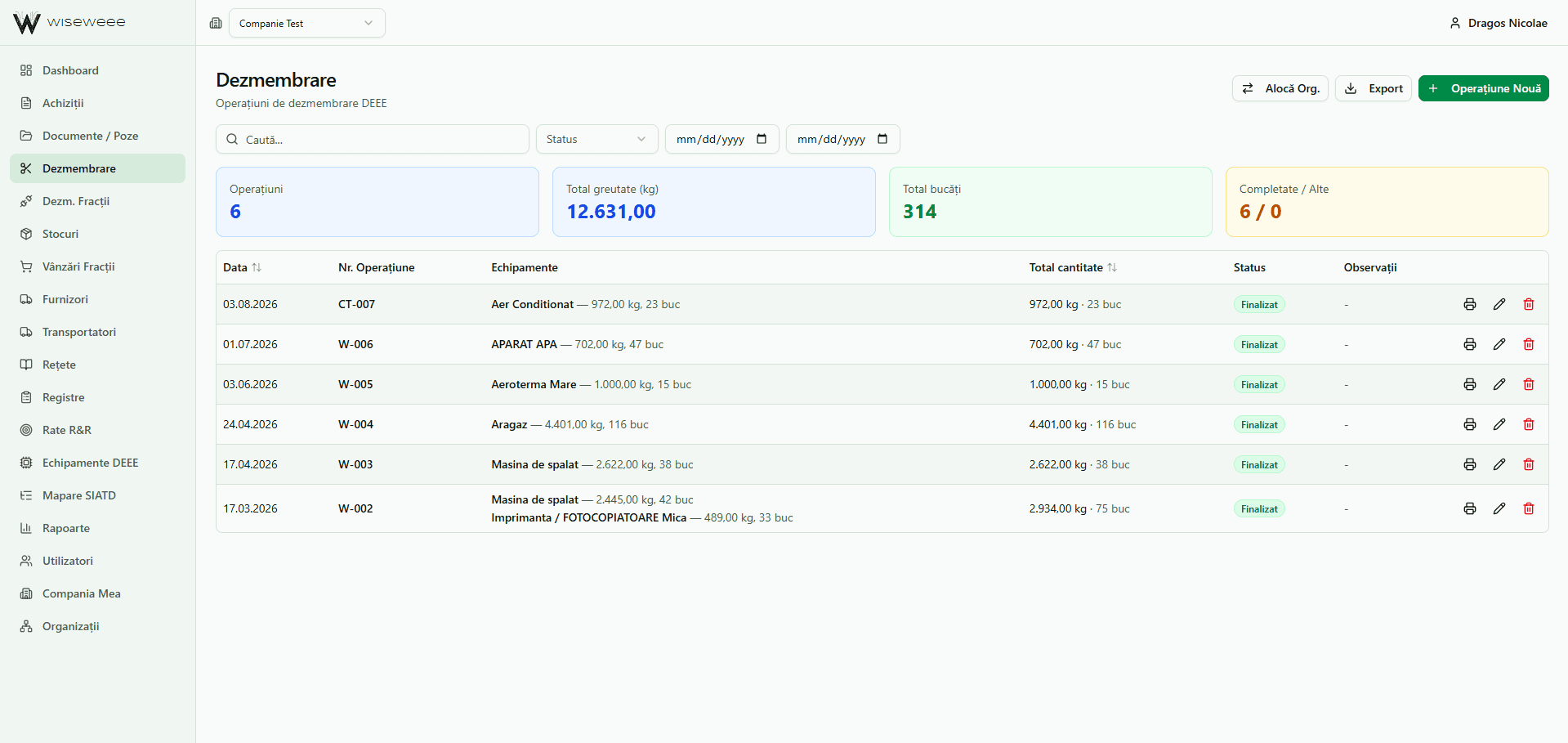
You record what you dismantled and in what quantity. The app already knows which fractions come out of each equipment type and splits it by itself.
Every operation gets its own number and stays linked to the equipment it started from.
Fractions and stock
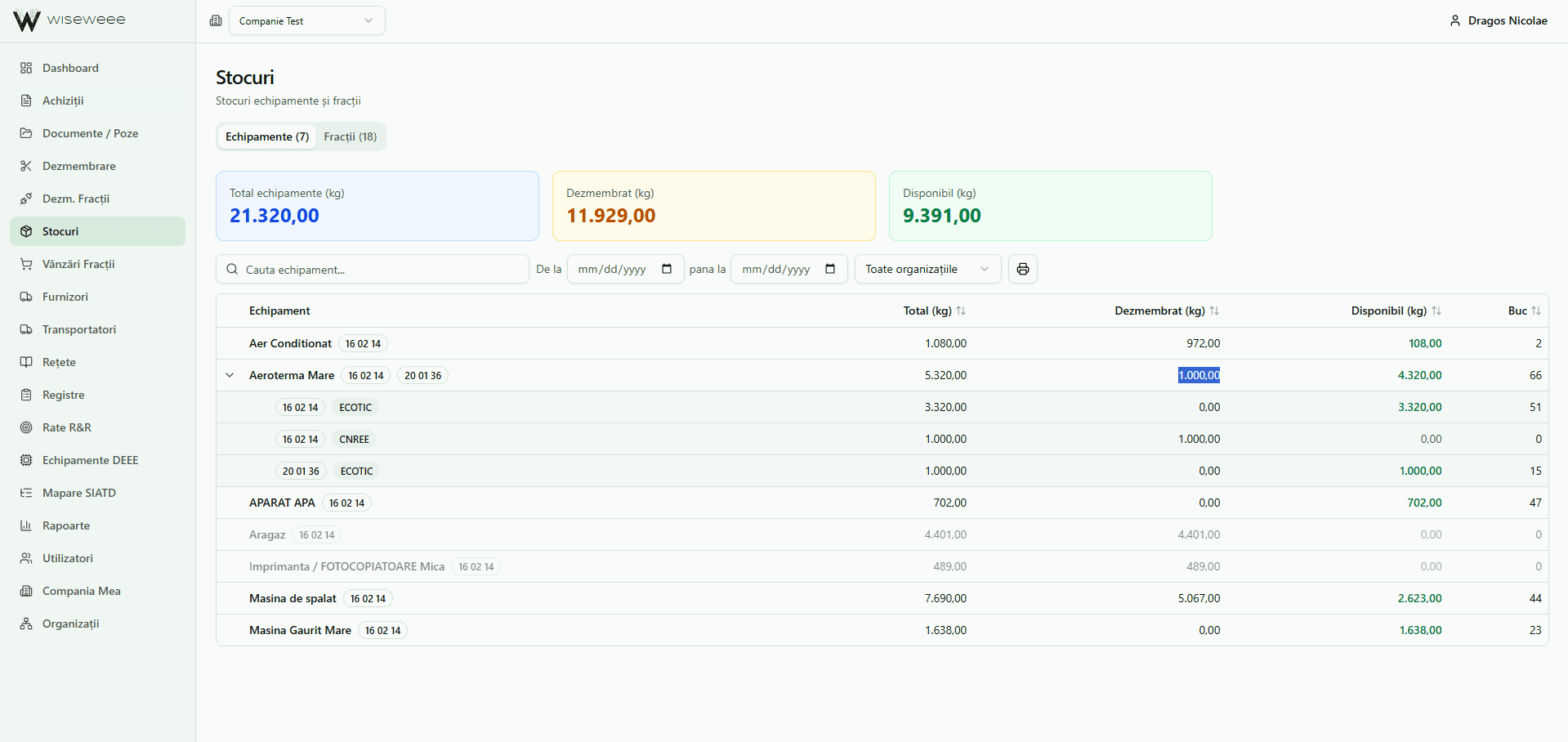
At any moment you see what came in, what was dismantled and what is still available — per equipment type and per fraction, separated by organisation.
No more remembering, and no more counting around the yard before a sale.
Sale
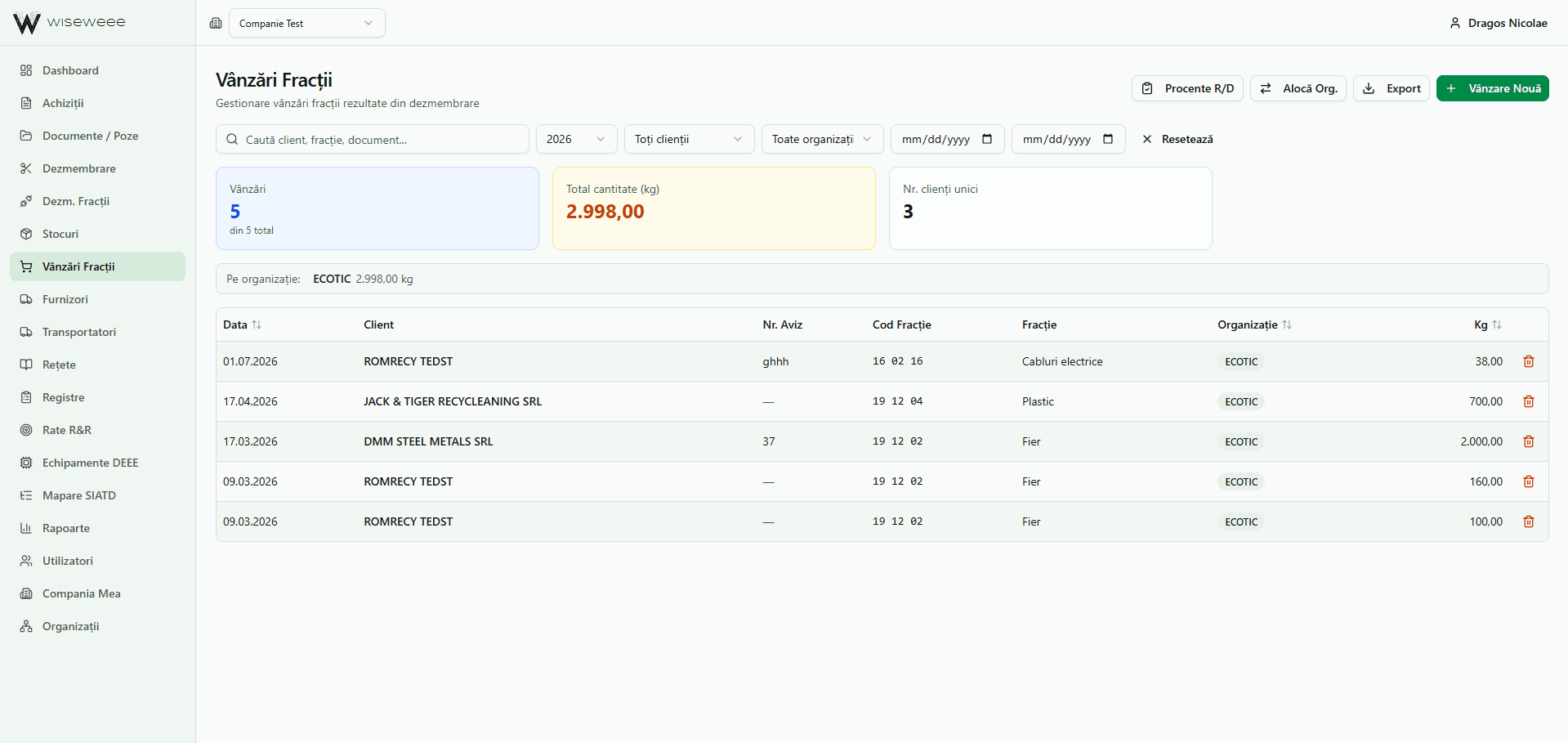
A sale comes off the stock the moment you record it, with the customer and the fraction on it.
This is where the chain closes: you can see where the material came from and who it went to.
Reporting
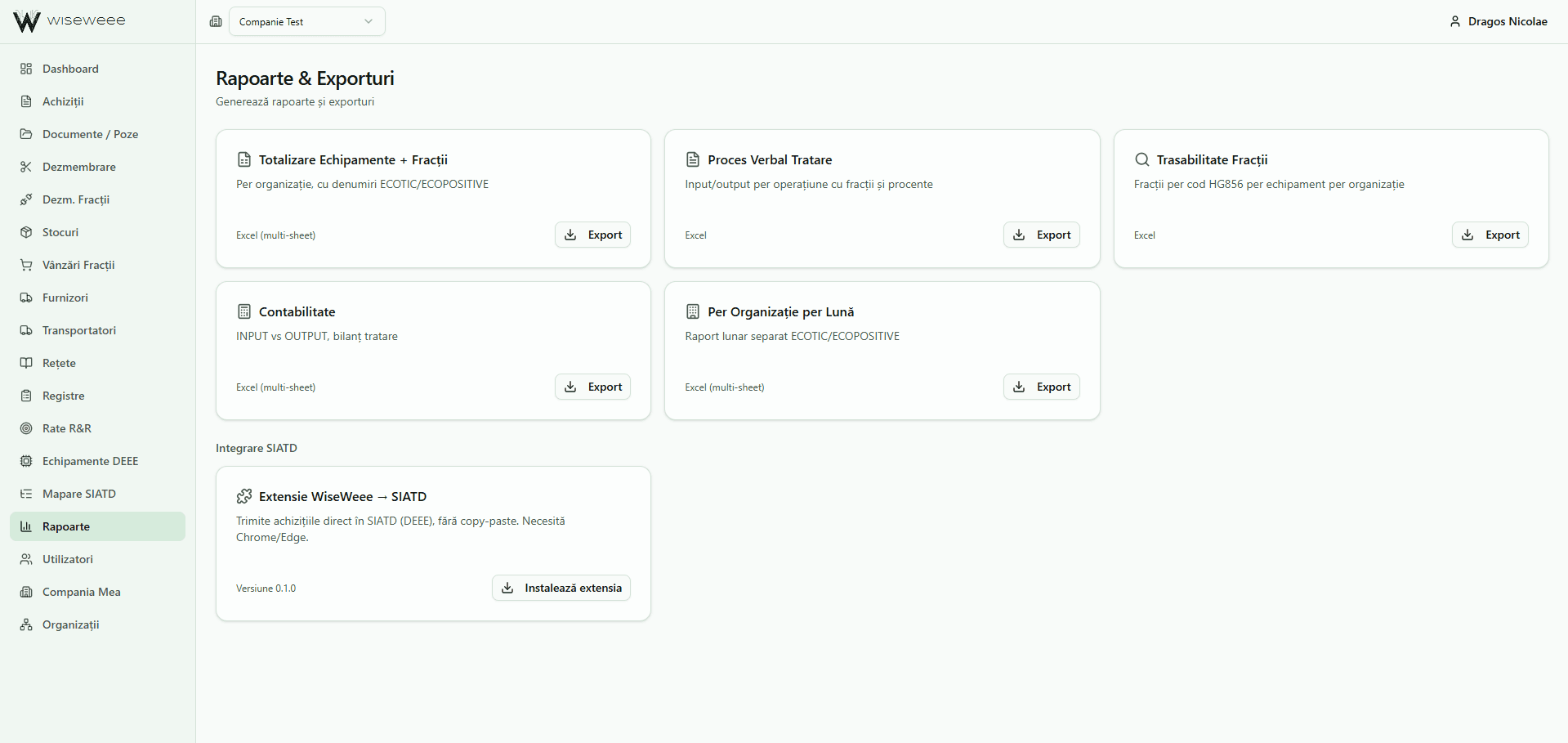
Reports are generated from what is already in the app, not from what you still have to gather out of files: ready-to-import exports in each organisation's template (ECOTIC, ENVIRON, RLG, RedPoint, CNREE), treatment records, fraction traceability, the treatment balance.
In hours, not weeks.
What you stop doing by hand
Six things that take care of themselves.
Reading the receipts
Receipts and weighbridge tickets are read automatically, and the supplier is filled in from the tax number. Nobody retypes what is already printed on paper.
Recipes
Every equipment type has its own recipe: which fractions come out of it and in what proportion. You set it up once, for your facility.
After that, at every dismantling operation, the app splits the quantity by itself. Nobody does the arithmetic by hand.
SIATD mapping
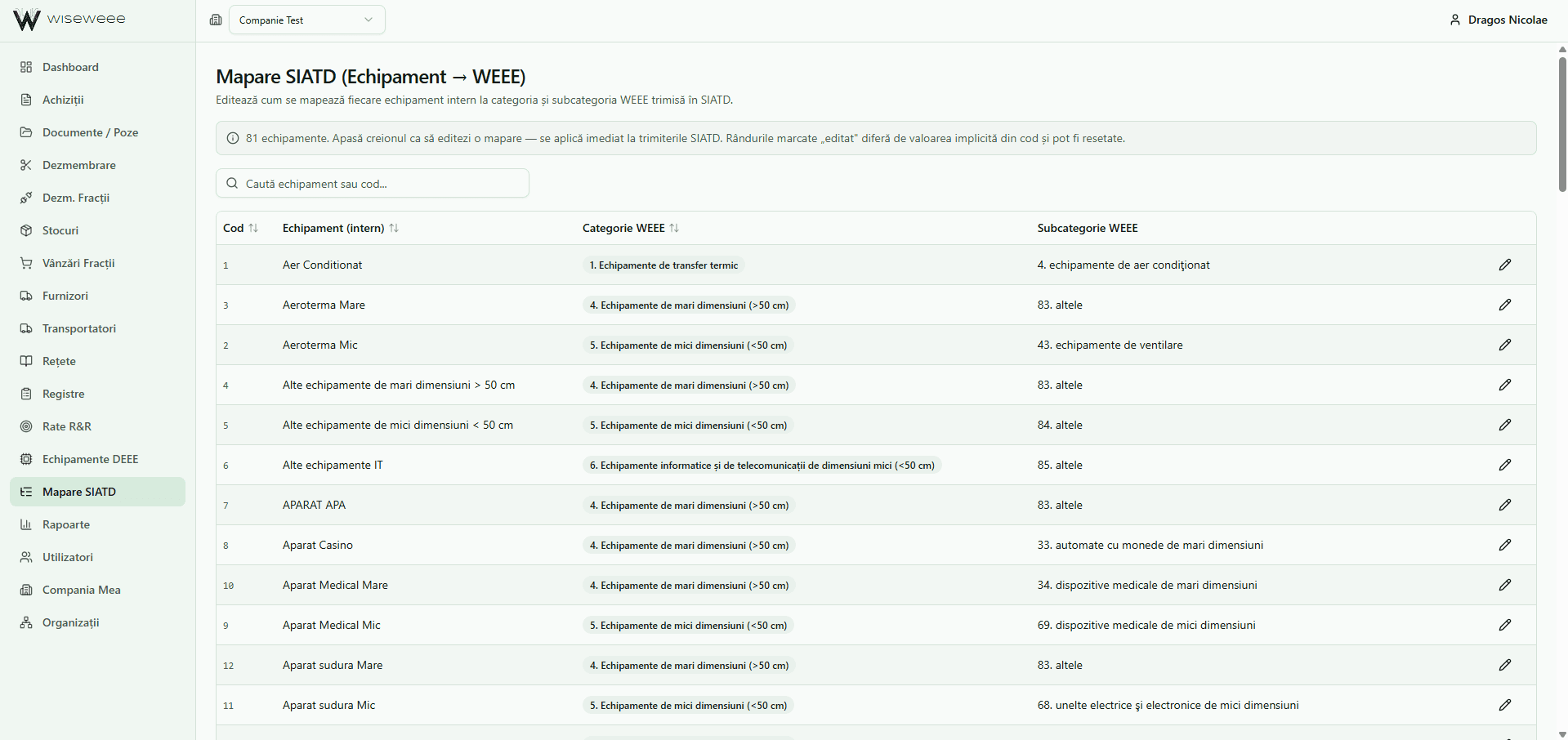
You call it “small fan heater”. SIATD wants “category 5, subcategory 43”.
You map it once. From then on the app translates by itself, on every submission. And with the browser extension, purchases go straight into SIATD — no copying, no pasting.
Recovery rates
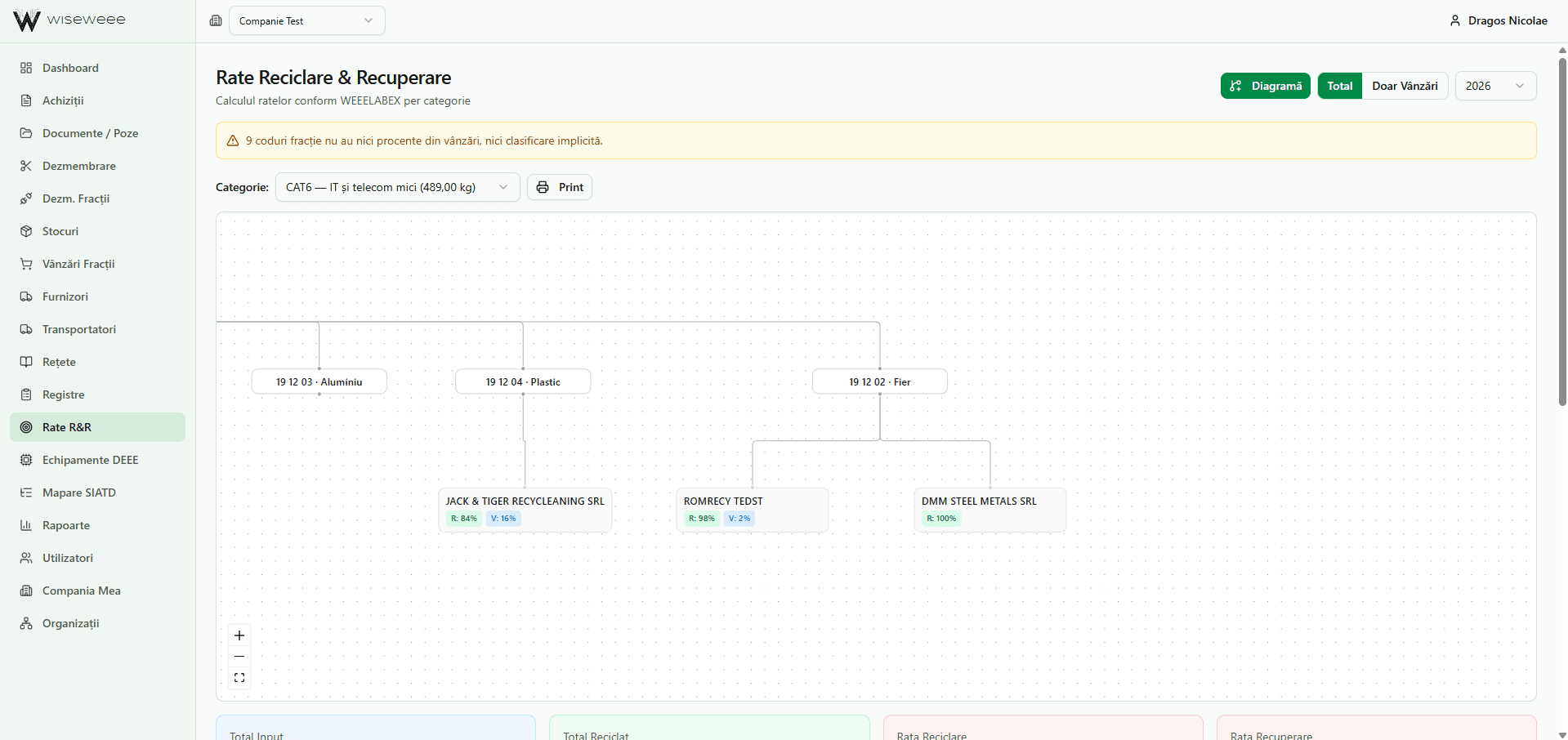
Recovery and recycling rates are calculated automatically, per category, with a compliance status against the legal targets. You see whether you are in the clear before somebody else tells you.
And the route shows too: which category each fraction came out of and which recovery operator it went to. That is exactly what an audit asks for.
The registers
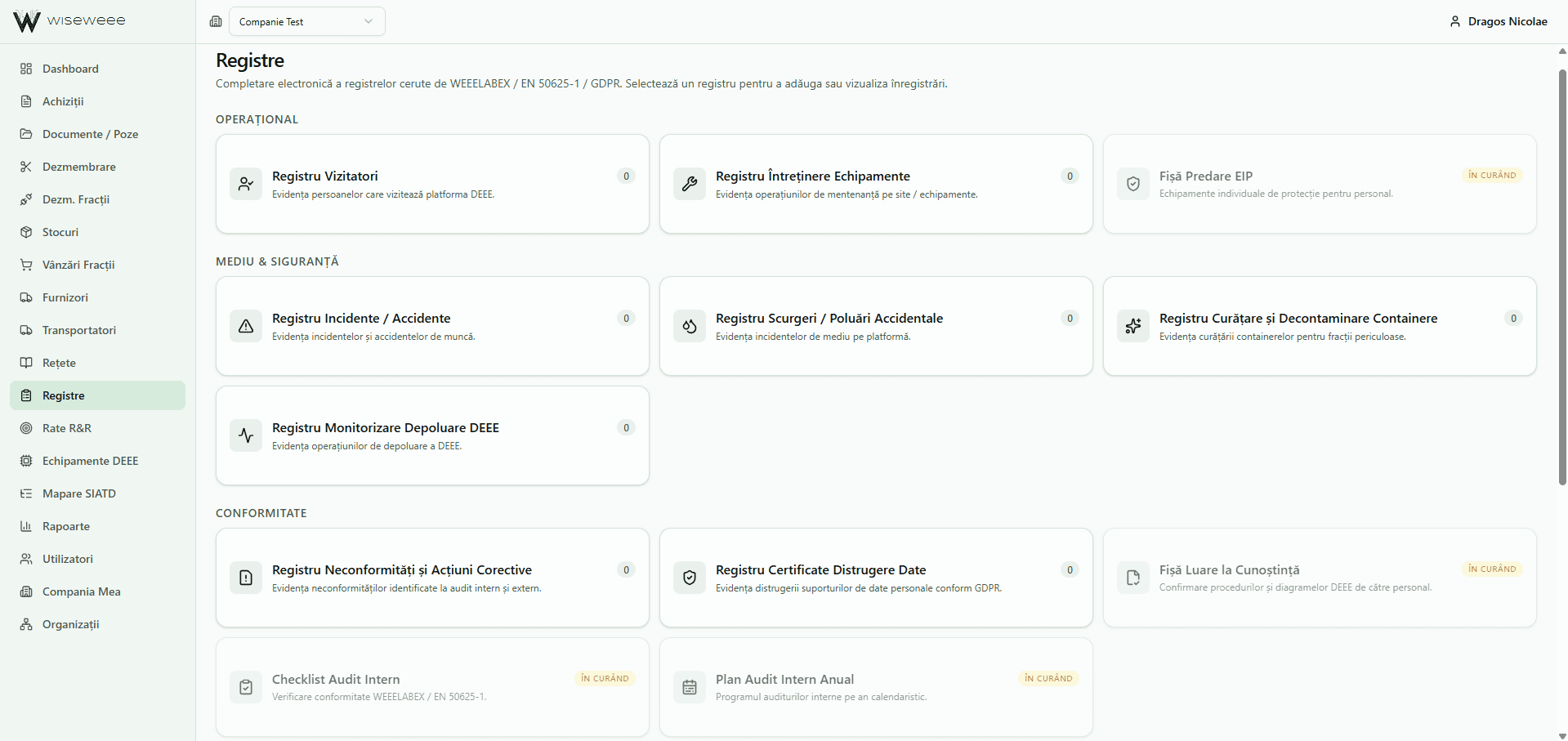
Visitors, incidents, spills, container decontamination, non-conformities, data destruction. All required by the standards, all filled in electronically, in one place, ready to show.
Some of them fill themselves in from data you already have in the platform.
Export per organisation
Every producer responsibility organisation has its own Excel template, with its own column headings: ECOTIC, ENVIRON, RLG, RedPoint, CNREE. Dash produces the ready-to-import export for each one, in its own template, from the data already in the platform.
Nothing is retyped by hand, and the numbers you report are the same as the ones in your own records.
What it looks like
The app in use.
The platform filmed while it runs, step by step.
Data safety
Your data is yours.
Each company has its own data, entirely separated from everyone else's. This is not a separation done in the interface, it is a real one: two operators using Dash cannot see each other's quantities, suppliers or recipes.
What happens on your facility stays on your facility.
How you start
The first three months are free.
We set the platform up on your permit and on your real flow, we load your recipes and your SIATD mapping, and you get to work. If after three months it is not useful to you, you stop.
Frequently asked questions
The app, in short.
What does WiseWEEE Dash do?
- WiseWEEE Dash keeps the whole flow of a WEEE treatment operator in one place: waste intake, dismantling by recipe, the stock of fractions, sales and reporting. It reads the weighbridge tickets by itself, calculates the recovery rates and generates the registers the standards require.
How does the app automate reporting to the transfer organisations?
- Each producer responsibility organisation (OTR) has its own Excel template, with its own column headings. Dash produces the export ready to import for each one, in that organisation's template — ECOTIC, ENVIRON, RLG, RedPoint and CNREE. You no longer retype anything by hand, and the numbers you report are the same as the ones in your own records.
How is submitting to SIATD automated?
- You map your own names to the categories SIATD requires once — you call it “small fan heater”, SIATD wants “category 5, subcategory 43”. From then on the app translates by itself on every submission, and with the browser extension purchases go straight into SIATD, with no copying and pasting.
Who is the app for?
- For authorised WEEE treatment operators in Romania. Each company's data stays separated from everyone else's, and the app is built on the real flow of a treatment plant, not on a general stock-management model.
How do I start using the app?
- The first three months are free. You write to us, we look at your flow together, we set up the dismantling recipes and the SIATD mapping for the equipment you actually treat, and from there the app runs by itself.